What brought you to this sign-in?
It's a normal Tuesday morning and a voicemail notification shows up in your inbox. You open it — you always open these — and land on a sign-in page you recognize. Your company's logo sits above the password field, right where it always does. Your phone buzzes with the approval prompt a second later, and you tap yes, because right now, you actually are trying to sign in.
That rhythm is exactly what an adversary-in-the-middle — AiTM — phishing flow borrows. The person running it sits between you and the real identity provider, quietly passing your information back and forth, and keeps whatever comes back once you're authenticated.
The opening message doesn't have to be a voicemail. It could be a shared file, a text, a Teams message, a search result, even a helpdesk call. Sometimes the story is an upgrade — "switch to passkeys now," "verify your MFA settings" — anything that gives signing in right now a reason. Before you type anything, one question is worth asking yourself: "What actually brought me to this sign-in page?"
Static illustration · No interactive controls
New voicemail notification
From: [sender removed]
To: [recipient removed]
Open the notification to hear the message.
The route can have several stops
You rarely land on the fake login directly. A redirect or two moves you through a few services first. A CAPTCHA shows up — familiar, almost reassuring, the same friction you deal with everywhere. Cloud hosting and your organization's own branding do the rest of the work, making the whole path feel like somewhere you've been before.
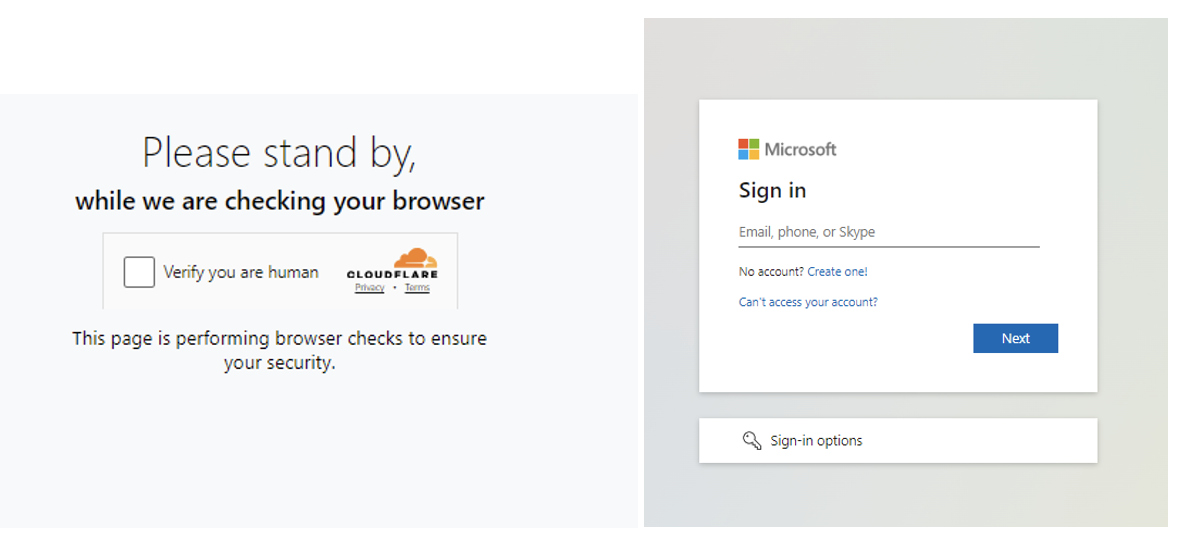
If you're on your phone, a QR code or SMS link can carry the whole thing off your work laptop entirely — onto a personal device your company's security tools were never watching in the first place. That's exactly why identity-provider and cloud logs end up mattering more than anything sitting on the endpoint.
Proofpoint's research shows this playing out with real Microsoft-branded screens, complete with your organization's own presentation and MFA options built in. These screenshots come from different documented campaigns, but together they trace the same walk. Proofpoint's Microsoft 365 AiTM analysis.
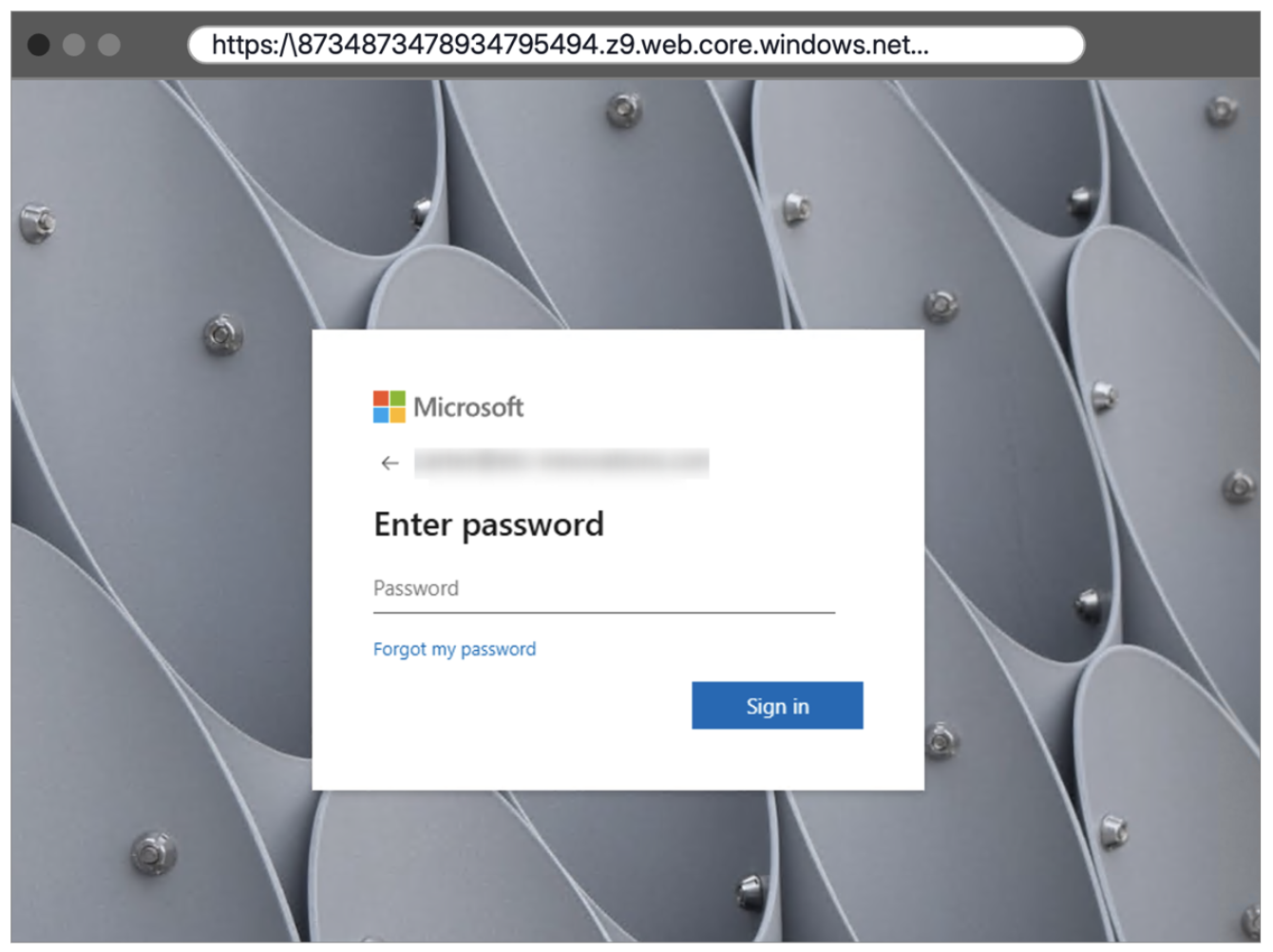
What the person in the middle actually relays
The proxy takes whatever credentials you enter and forwards them straight to Microsoft, or whichever identity provider is real here. That service responds the way it normally would — with the actual MFA challenge your account requires. The proxy hands that challenge to you, you respond, and it passes your response back. From your end, nothing looks wrong, because nothing about the authentication itself is fake.
Once that exchange succeeds, the real service issues the thing it always issues: an authenticated session, usually as a cookie. That's the moment the proxy has been waiting for — it captures the session as it passes through. From there, replaying it can let the attacker act as you, inside whatever that session is allowed to touch.
- 1 · Person
Opens a sign-in link supplied by a lure.
- 2 · AiTM proxy
Relays credentials to the legitimate identity provider.
- 3 · Identity provider
Sends a genuine MFA challenge back through the proxy.
- 4 · Return journey
The response travels through the proxy; the resulting authenticated session is captured.
Everything here moves in both directions — your credentials and MFA response heading toward the real service, the challenge and the final authenticated session heading back through the proxy on the way to you. AiTM can capture your password and the authenticated session created after your MFA succeeds.
Microsoft's own investigation into cookie theft leading to business email compromise makes this distinction concrete: containment can't stop at resetting a password. The session itself has to be shut down too. Microsoft's cookie-theft and BEC investigation.
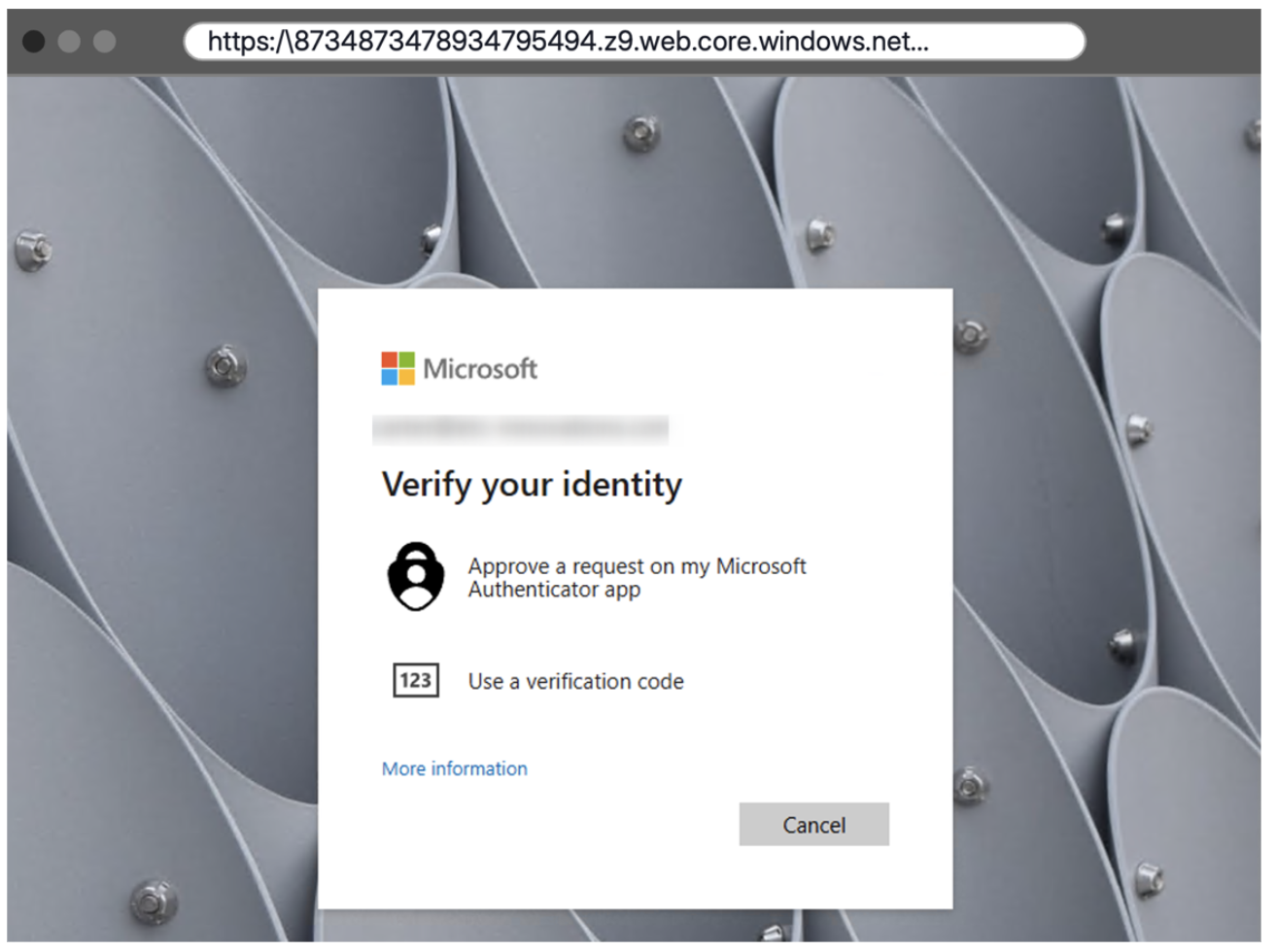
Which authentication actually resists this?
SMS codes, authenticator app codes, push approvals — a proxy can relay or ride along with all of them mid-flow. Number matching helps cut down on people approving a prompt they didn't mean to, but it doesn't fix the deeper problem. You still have to actually look at why you're signing in.
FIDO2 security keys and passkeys work differently, and it's a meaningful difference: they're cryptographically bound to the real service, not just to "a login page that looks right." That binding is what makes them resistant to a proxy sitting on a different domain pretending to be the real thing. If you're setting policy for an organization, this is where phishing-resistant authentication earns its name — and it's worth double-checking your account-recovery paths too, since those often quietly skip the protection. Microsoft's authentication-strength guidance.
One more thing worth knowing: a message urging you to "upgrade to passkeys" can itself be the bait. The security upgrade is just the reason given for clicking through. Go to your account-security settings the way you normally would, on your own, and if you're unsure, call the helpdesk using a number you already had — not one from the message.
Device code phishing works on a different weakness entirely — you sign in for real, but end up authorizing someone else's application instead of handing over a session. Origin-bound authentication (like a passkey) protects against this page's attack. It doesn't touch that one.
A packaged product, not a lone attacker
A lot of this runs on Phishing-as-a-Service — hosting, templates, and data collection, sold as a kit. Tycoon2FA is one well-documented example. The kit's name is mostly useful to researchers comparing tools against each other; for any single incident, what actually happened in your sign-in trail is the real evidence.
Push Security's 2026 research found established AiTM kits, Tycoon2FA included, adding device-code capabilities on top of what they already had — with signs of shared tooling reaching into another kit, Sneaky2FA. Which means two people can click on what looks like the identical document lure and end up hit by two completely different mechanisms underneath. Push Security's research.
If you're responding to one of these, the first thing to pin down is which flow actually happened — a proxied sign-in, an authorized device-code client, or some other consent grant. That answer decides which sessions, tokens, and app access actually need investigating.
What happens after the login
Once someone's in a mailbox, they can read conversations, see invoices, and map out who trusts whom inside your organization. From there it's common to see new forwarding or inbox rules appear, quiet searches for anything related to payments, or fresh phishing sent out under your name to people who'd never suspect it. That's how business email compromise usually grows — not from a dramatic break-in, but from sitting quietly inside a trusted inbox.
A full investigation looks well past the mailbox too: SharePoint and OneDrive access, Microsoft Graph activity, any changes to authentication methods, and movement into other connected services. What an attacker can actually reach depends entirely on your account's privileges and whatever tokens they picked up. A strange mailbox rule is often just the first thread investigators find, not the whole story.
Hold onto the original lure alongside your sign-in and audit records — the message shows how someone got in, the logs show what they did once they were there. If this happened on a personal phone your company doesn't manage, that combination may end up being more complete than anything your actual endpoint tools recorded.
Respond while the session is still worth something to them
Report an unexpected sign-in the moment you notice it — even if the file or document you were after eventually did open normally. Hang onto the message, the URL, the time it happened, and a plain description of what the MFA prompt actually looked like. That's what lets a security team find the right events fast.
- Revoke active sessions and refresh tokens using the identity provider's controls.
- Reset exposed credentials through the established recovery process.
- Inspect recent sign-ins, applications, resources and anomalous account activity.
- Review mailbox rules, forwarding, sent messages and internal phishing.
- Review Graph, SharePoint and OneDrive activity and authentication-method changes.
- Preserve identity and cloud audit logs, then monitor for continued access.
Revoking a session doesn't always mean instant cutoff — some access tokens stay valid until they naturally expire, unless the resource itself supports faster enforcement. Build that window into how long you keep watching, not just into the initial cleanup. Microsoft's revocation guidance.
Day to day, the habit that actually helps: start anything important — account changes, sensitive sign-ins — from a bookmark or an app you opened yourself. And if a message ever tells you a new sign-in step is suddenly required, check that story through a completely separate channel before you believe it.
Keep reading
See who actually receives the tokens in device-code phishing, revisit what these techniques have in common, or read more on cookies and authenticated state.